
Product Experts

The 7 Best Ultrawide Monitors of 2026

Our Best Picks

Based on 1K+ reviews

Why We Chose This Product:

This monitor represents the bleeding edge of display technology with its dual 4K resolution and staggering 57-inch width. Its mini-LED panel delivers breathtaking HDR performance, earning it the top spot for those who want a truly uncompromised setup.

Who Is It For:

High-end gamers and creative professionals seeking maximum screen real estate. Ideal for dedicated simulation setups or replacing bulky dual-monitor workstation rigs.

Unmatched screen real estate and immersion

Exceptional HDR brightness and contrast

Extremely heavy and bulky chassis

Tech specs:

Screen Size
57 Inches
Resolution
Dual 4K UHD
Refresh Rate
240Hz
Panel Type
Mini-LED

Based on 717+ reviews

Why We Chose This Product:

ASUS delivers perfect blacks and vibrant colors thanks to its premium QD-OLED panel. We ranked it highly because it perfectly balances stunning visual fidelity with a blistering 0.03ms response time for high-tier gaming.

Who Is It For:

Graphic-focused gamers who prioritize visual quality and contrast above all else. Excellent for players who enjoy visually rich, story-driven games in dimmer environments.

Perfect black levels and infinite contrast

Instantaneous response time for motion clarity

Text clarity slightly lags behind standard LCDs

Tech specs:

Screen Size
34 Inches
Resolution
WQHD
Refresh Rate
175Hz
Panel Type
QD-OLED

Based on 2K+ reviews

Why We Chose This Product:

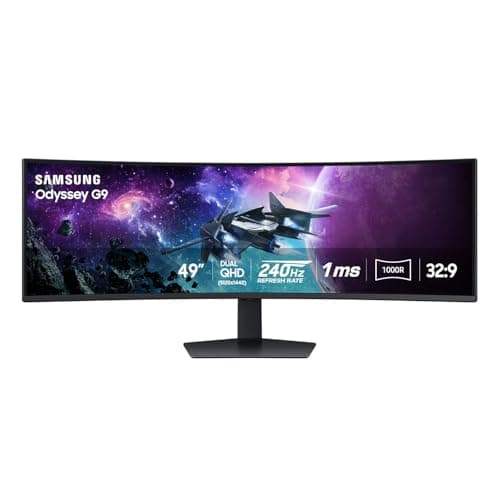
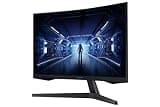
The classic 49-inch Odyssey G9 remains a formidable choice with its aggressive 1000R curve and high refresh rate. It earns its spot by providing one of the most enveloping visual experiences available without jumping to the extreme 57-inch tier.

Who Is It For:

Flight and racing sim enthusiasts who need immersive peripheral vision. It also serves beautifully for power users wanting a seamless ultrawide workflow spanning multiple windows.

Aggressive 1000R curvature deeply surrounds vision

Excellent 240Hz motion clarity for fast games

Significant footprint on any standard desk

Tech specs:

Screen Size
49 Inches
Resolution
DQHD

Refresh Rate
240Hz
Panel Type
VA
Based on 537+ reviews

Why We Chose This Product:

Dell balances everyday productivity with light gaming capabilities beautifully in this model. It stands out for its built-in USB-C hub and 65W power delivery, making it the perfect one-cable solution for laptop users.

Who Is It For:

Remote workers and professionals who use a laptop as their primary daily driver. It serves incredibly well in spaces where minimizing cable clutter is a top priority.

Convenient 65W USB-C power delivery

Built-in speakers and robust USB hub

Refresh rate is capped at a modest 120Hz

Tech specs:

Screen Size
34 Inches
Resolution
WQHD
Refresh Rate
120Hz
Panel Type
VA
Based on 1.1K+ reviews

Why We Chose This Product:

Alienware delivers a premium aesthetic and robust performance at a highly competitive price point. We included it for its impressive 180Hz refresh rate and strong contrast ratio that punch above its budget-friendly category.

Who Is It For:

Dedicated gamers looking for premium brand reliability without the astronomical OLED price. Fits beautifully in modern, gaming-centric desk setups.

High 180Hz refresh rate ensures buttery gameplay

Attractive sci-fi design looks fantastic on a desk

Viewing angles are restricted by the VA panel

Tech specs:

Screen Size
34 Inches
Resolution
WQHD
Refresh Rate
180Hz
Panel Type
VA
Based on 495+ reviews

Why We Chose This Product:

INNOCN challenges mainstream brands with a massive 49-inch screen and a highly practical feature set including USB-C. It secures a place on our list as a fantastic value option for those needing super ultrawide scale without the heavy markup.

Who Is It For:

Multitaskers, developers, and creatives who need multiple large windows open simultaneously. Great for those building a high-productivity workspace on a stricter budget.

Incredible value considering the massive size

Built-in USB-C connectivity simplifies cabling

Brand reputation is less established than rivals

Tech specs:

Screen Size
49 Inches
Resolution
DQHD
Refresh Rate
120Hz
Panel Type
VA
Based on 715+ reviews

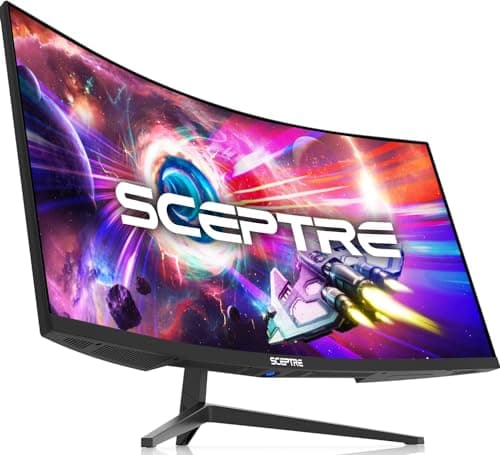
Why We Chose This Product:

AOC consistently hits the sweet spot for budget-conscious buyers, and this 180Hz model is a prime example. It earned its ranking by offering fast, tear-free performance and a 0.5ms MPRT response time at a very accessible price.

Who Is It For:

First-time ultrawide buyers and budget-conscious gamers upgrading from standard displays. It fits perfectly in entry-level to mid-range PC battle stations.

Rapid 180Hz refresh rate handles esports titles well

Highly adjustable stand offers great ergonomics

Colors may require manual tweaking out of box

Tech specs:

Screen Size
34 Inches
Resolution
UWQHD
Refresh Rate
180Hz
Panel Type
VA

Essential Tips For Choosing The Right ultrawide monitor

Understanding Panel Types

OLED panels offer perfect blacks and vibrant colors but come with a risk of burn-in over time. VA panels provide great contrast and deep blacks, while IPS panels are best for color accuracy and wide viewing angles.

Resolution and Screen Size

For a 34-inch ultrawide, WQHD (3440x1440) is the sweet spot for clarity and performance. If you step up to a massive 49-inch or 57-inch model, look for DQHD or Dual 4K to ensure text remains sharp.

Best ultrawide monitor

Refresh Rates Explained

If your primary use is gaming, aim for a minimum of 120Hz to ensure smooth motion. Competitive players will benefit from 175Hz or 240Hz, while standard 60Hz or 100Hz is perfectly adequate for office productivity.

The Importance of Curvature

Ultrawide monitors use curvature ratings like 1800R or 1000R to describe how deeply they bend around your field of view. A lower number means a tighter curve, which reduces eye strain by keeping the edges of the screen equidistant from your eyes.

Common Space Pitfalls

Always measure your physical desk depth before purchasing a super ultrawide. The stands on 49-inch and 57-inch monitors take up a significant footprint and can push the screen uncomfortably close to your face on shallow desks.

Frequently asked questions

More products you might love